What is the MRP Game?
The MRP Game is a multiplayer supply chain simulation designed to teach the principles of Material Requirements Planning (MRP), demand forecasting, and inventory management.
Unlike the Beer Game, which focuses on behavioral psychology and lack of communication, the MRP Game focuses on calculation, planning parameters, and data. Players must use a planning system to forecast demand and calculate future requirements to ensure the smooth flow of goods.
In this article:
Features & Learning Goals
Game Mechanics
- Planning Visibility: Players can experience how dependent demand flows through the chain. For example, the Distributor should wait for the Retailer to calculate their plan to see exactly what the Retailer intends to order in the future, so that they can adjust their own plan.
- Lead Times: Orders are not instantaneous. Players must plan ahead (e.g., 2 or 3 weeks) to ensure stock arrives when needed. They are confronted with the concept of Frozen Period, within the supply lead time duration, where they can't update orders anymore.
- Constraints and Parameters: As the game progresses, real-world constraints are introduced, such as Batch Sizes, Minimum Order Quantities. Players can implement a Safety Stock (in units or coverage) and discuss the advantages and disadvantages it brings to the chain, such as better fill rate but increased variability.
Key Learnings
By the end of the simulation, participants will understand:
- The Logic of MRP: How independent demand (consumer) converts into dependent demand (upstream supply chain).
- Inventory Optimization: How to calculate / locate Safety Stock based on demand variability and lead times. +The pitfalls of safety stocks.
- Intro to Forecasting: How to use historical data and marketing insights to build forecasts. + Several KPIs related to forecast accuracy.
- Operational Constraints: How batching and MOQs increase variability in the plan calculation.
- Trade-offs: The financial impact of carrying too much stock versus the risk of stockouts.
Resources
Player Onboarding Video
To help you introduce the game to trainees, we have developed a 3-min video showing the main game mechanics and views. This video should be relevant even if you customize your own scenario.
Powerpoint Support
We provide a 50-slides presentation including Supply Chain Planning theoretical concepts, explanations (incl. video) and debriefing support for each game round.
How the Game Works
The game runs in weekly cycles. At every week, players must complete a 3-step process:
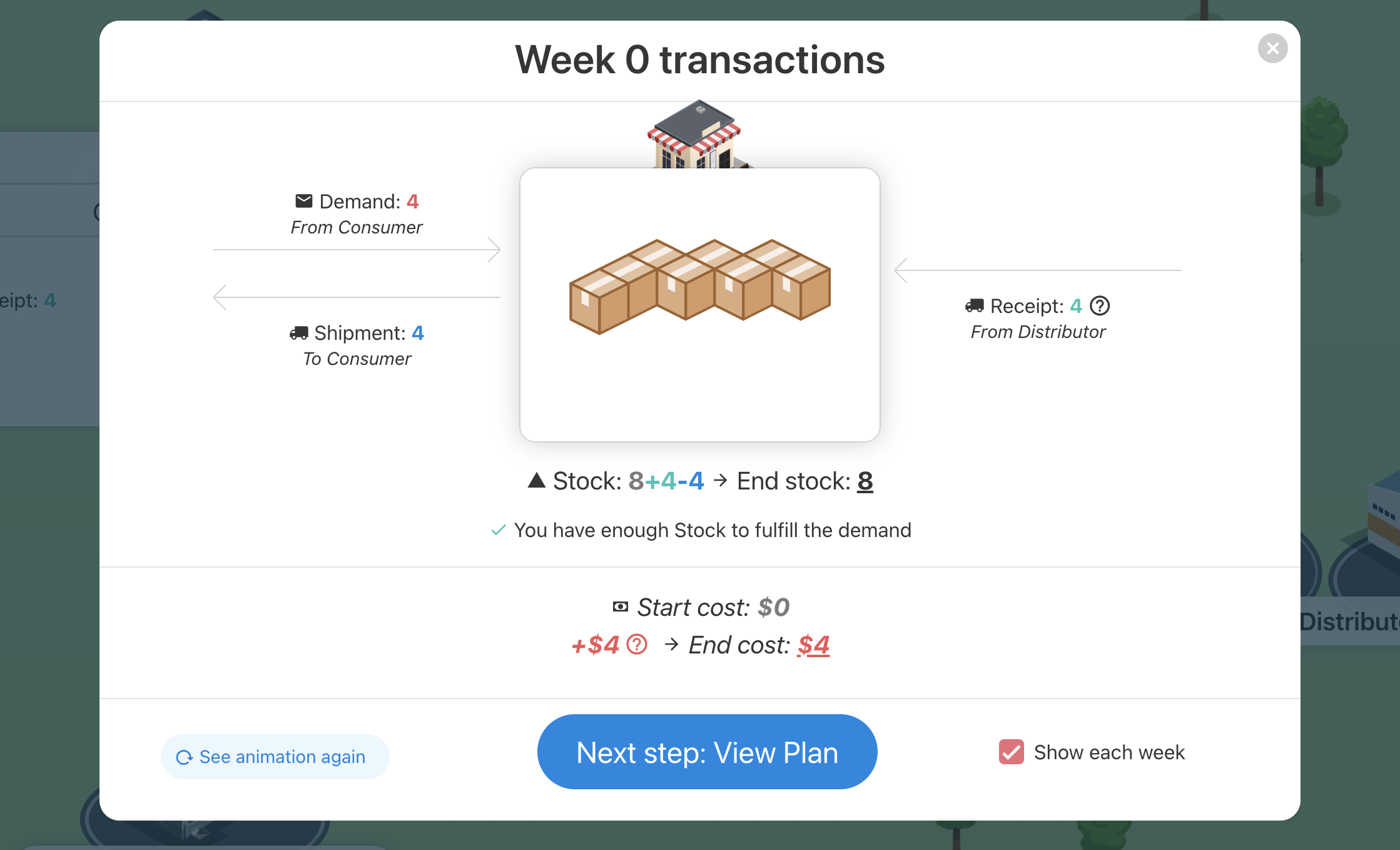
1) Watch:
Players can see the physical flow of goods - incoming shipments from suppliers and outgoing sales to clients.
2) Plan:
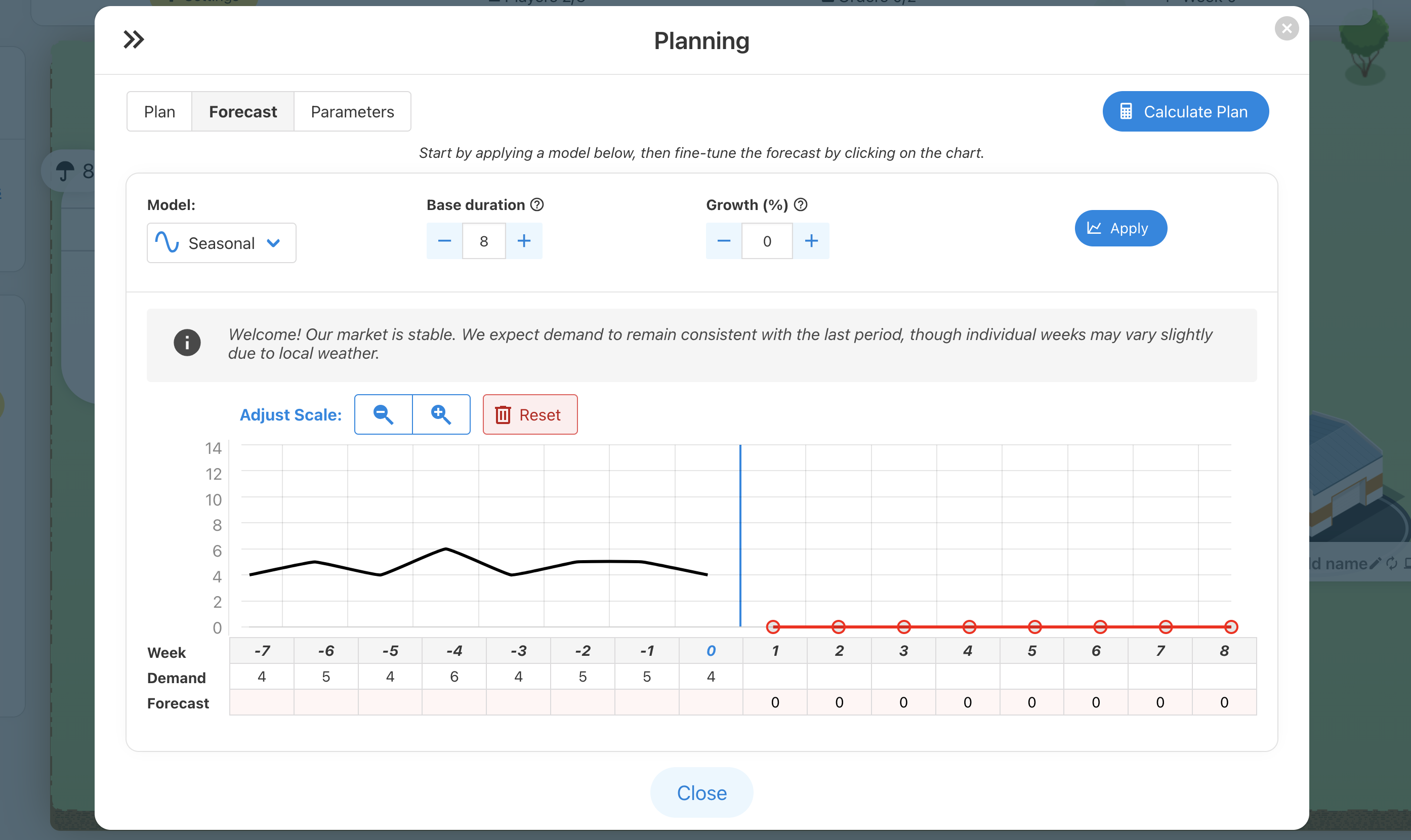
- Forecasting: Players analyze sales history and marketing insights to predict future demand.
- MRP Engine: Players define parameters (like Safety Stock) and run the "Calculate Plan" function. The system automatically calculates the net requirements based on the Bill of Materials logic (Gross Requirements - Stock = Net Requirements).
3) Execute:
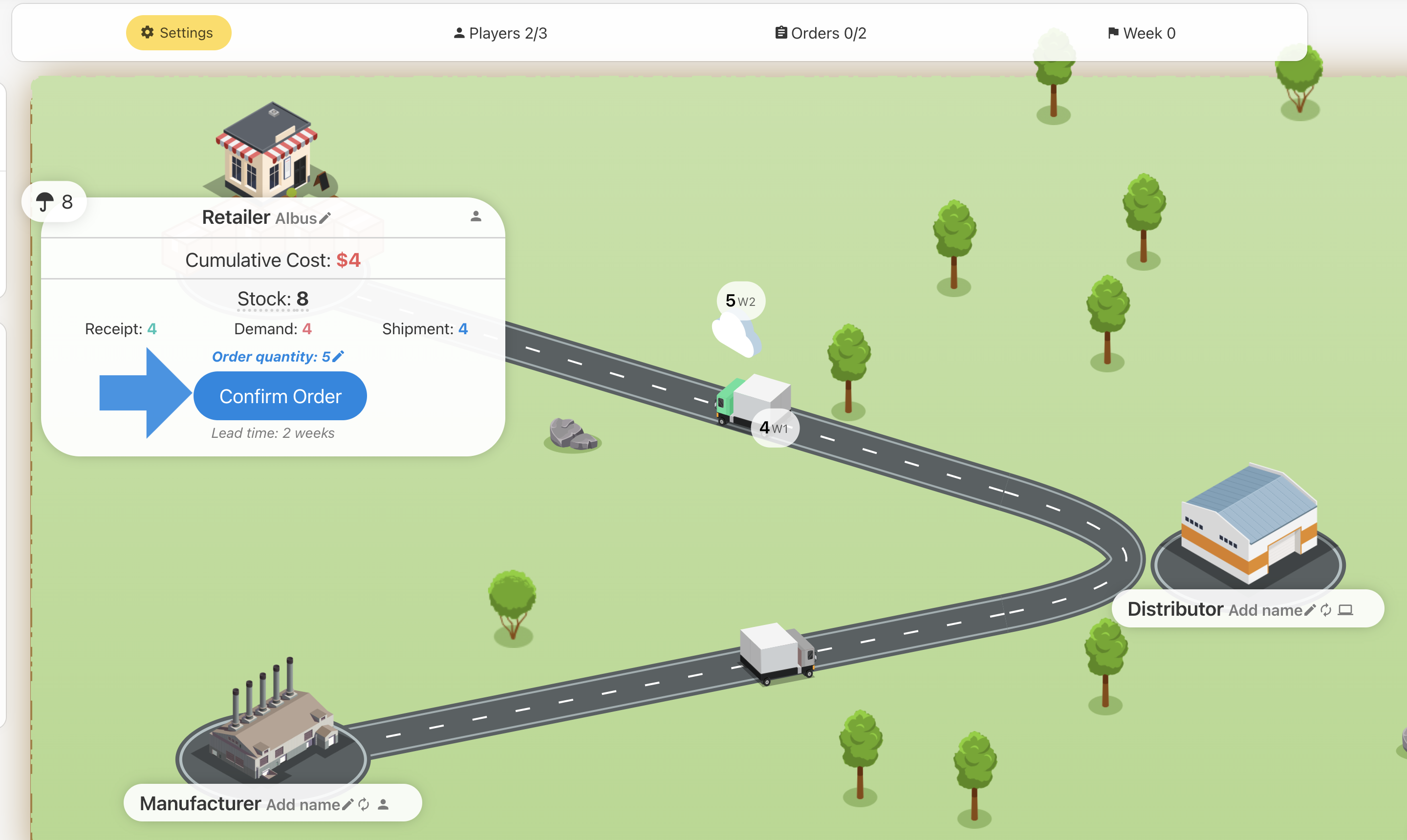
Based on the calculated plan, players confirm the next order to be validated for the current week.
How to Get Started
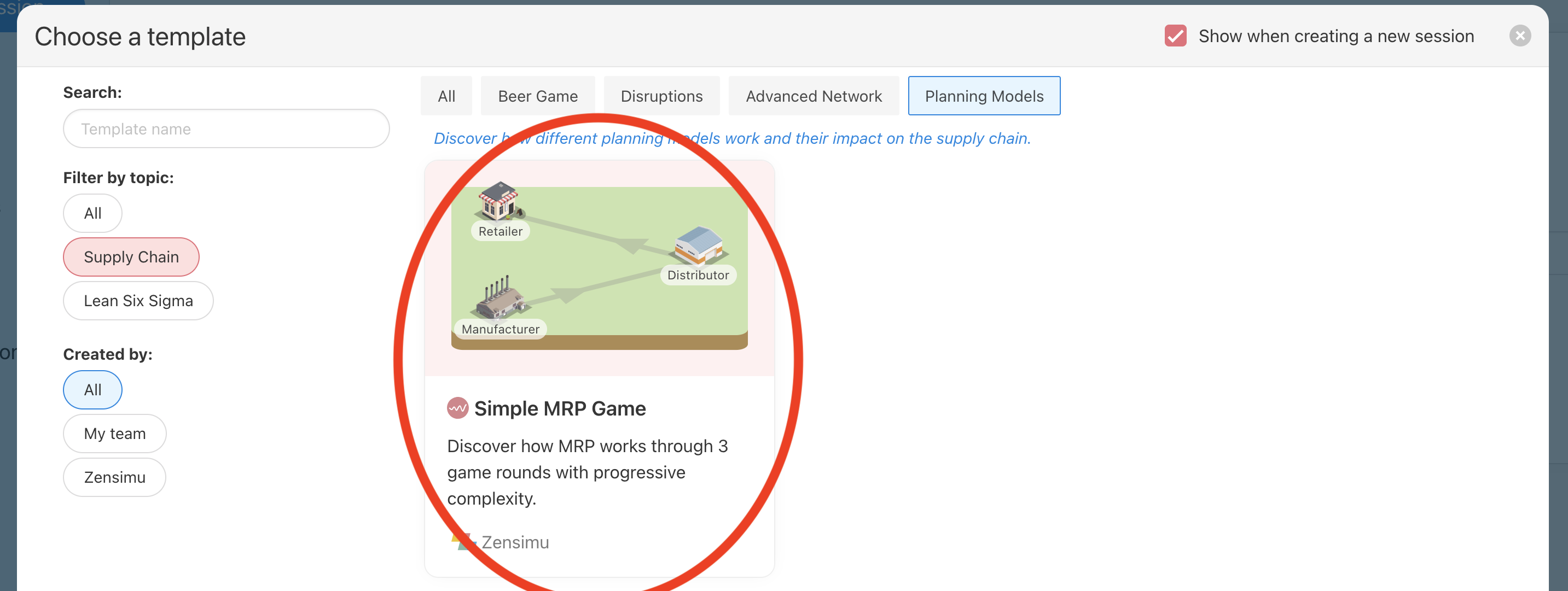
Default "Simple MRP" Template
The easiest way to start is to use our simple scenario. It is easy to integrate in Operations/Supply Chain courses, or internal Supply Chain Planning academies.
The simulation represents a 3-echelon supply chain:
- Retailer: Sells directly to the end consumer.
- Distributor: Supplies the Retailer.
- Manufacturer: Produces goods to supply the Distributor.
(Note: If a role is not filled by a human player, the computer plays it automatically.)
The objective is to minimize total supply chain costs by finding the right balance between inventory and service level.
- Stock Cost ($0.50 / unit / week): Incurred for every unit kept in stock.
- Backorder Cost ($1.00 / unit / week): Incurred for every unit of demand that cannot be fulfilled immediately.
Session progression:
Through game rounds, you can progressively introduce more supply chain planning concepts.
Here is the one we chose to implement in the Simple MRP template:
- Round 1: game discovery and safety stock increase
- Round 2: safety stock decision and introduction of MOQ / batch sizes
- Round 3: final challenge with longer lead times and higher MOQs
Create your own MRP scenario
The MRP planning feature is available if your supply chain / beer game simulation is setup to use the advanced model.
You can activate the feature from the "Planning and Demand" part of the game configuration:
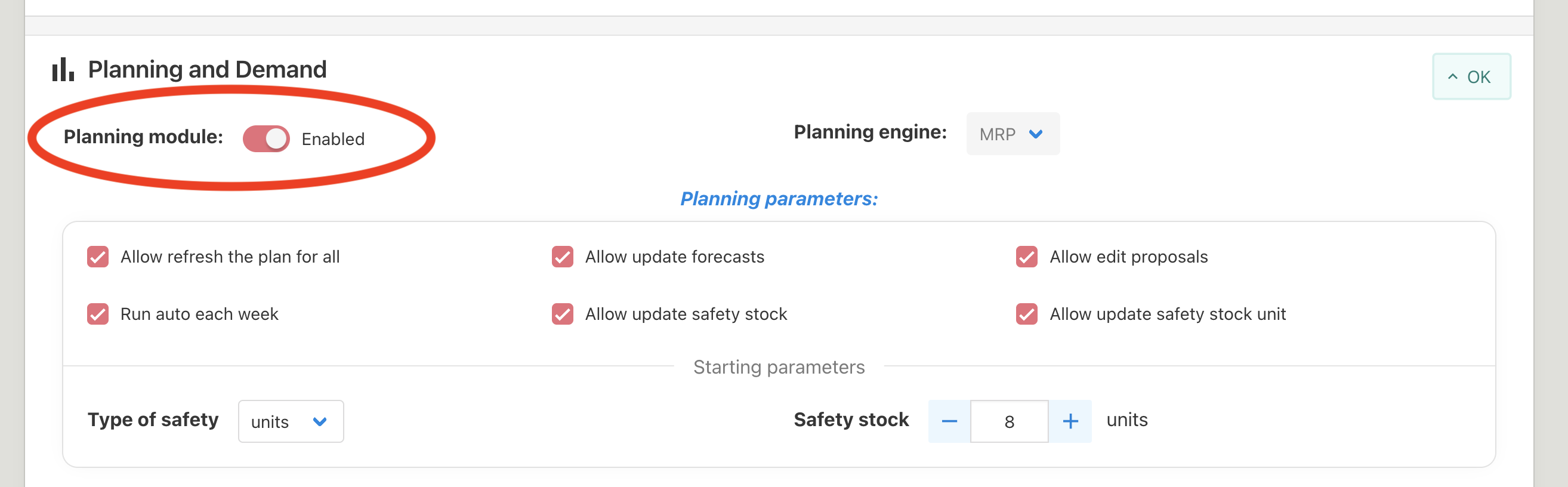
At each game round, you can decide of the starting safety stock to be applied on roles: the type of safety (either unit or weeks coverage) and the safety stock.
You can also toggle various options:
- Allow refresh the plan for all: each player can refresh all the proposals in the chain. This avoids the need for players to refresh their plan one by one in sequence.
- Allow update forecasts: lets the role connected to a "Final Demand" source integrate forecasts. When disabled, you can integrate forecasts for each final demand source as admin in the game config.
- Allow edit proposals: let students update proposal quantities further ahead in the future, and also lock quantities so the calculation doesn't erase updates. By default only the next order to be sent can be modified.
- Run auto each week: run a full MRP calculation automatically at the start of each new week. On week 0 the players will still need to initialize the plan calculation a first time.
- Allow update safety stock: let players update the safety stock level (ex: 8pcs, 4pcs, 12pcs..)
- Allow update safety stock unit: let players decide the type of safety stock, either units or coverage ("weeks").
Note that the planning engine works even for complex Supply Chain models, including multiple clients / suppliers and even bill of materials. The needs propagate through the chain and BOM levels seamlessly.
As we work to develop a relevant template including these more complex supply chain dynamics, we would be happy to help you build your own scenario, don't hesitate to drop us a line at hello@zensimu.com.